
Contents
- 1 How to Build and Deploy AI Agents for Marketing in 2026
How to Build and Deploy AI Agents for Marketing in 2026
Key Takeaways
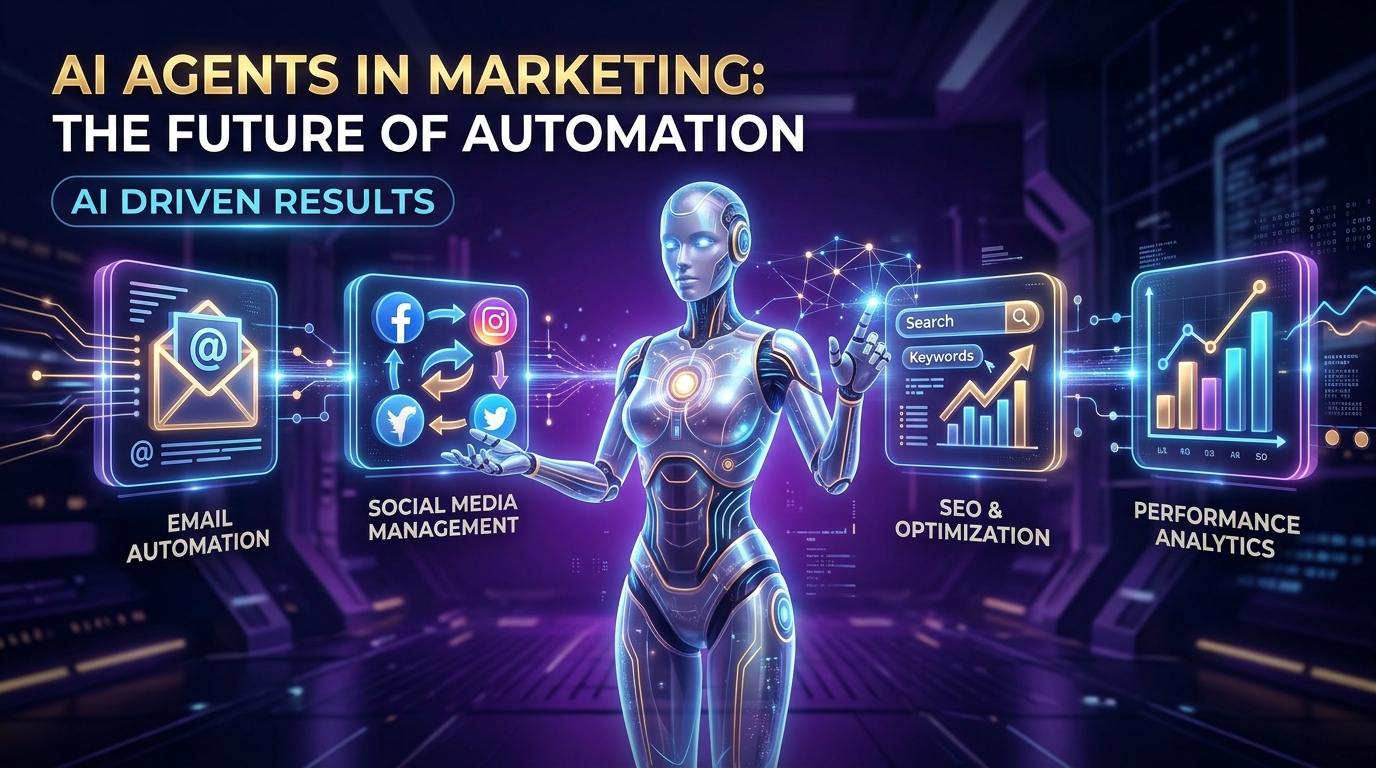
- Automation is shifting to Autonomy: In 2026, marketing workflows are moving from static rules-based automation to autonomous AI agents that make decisions and execute pipelines end-to-end.
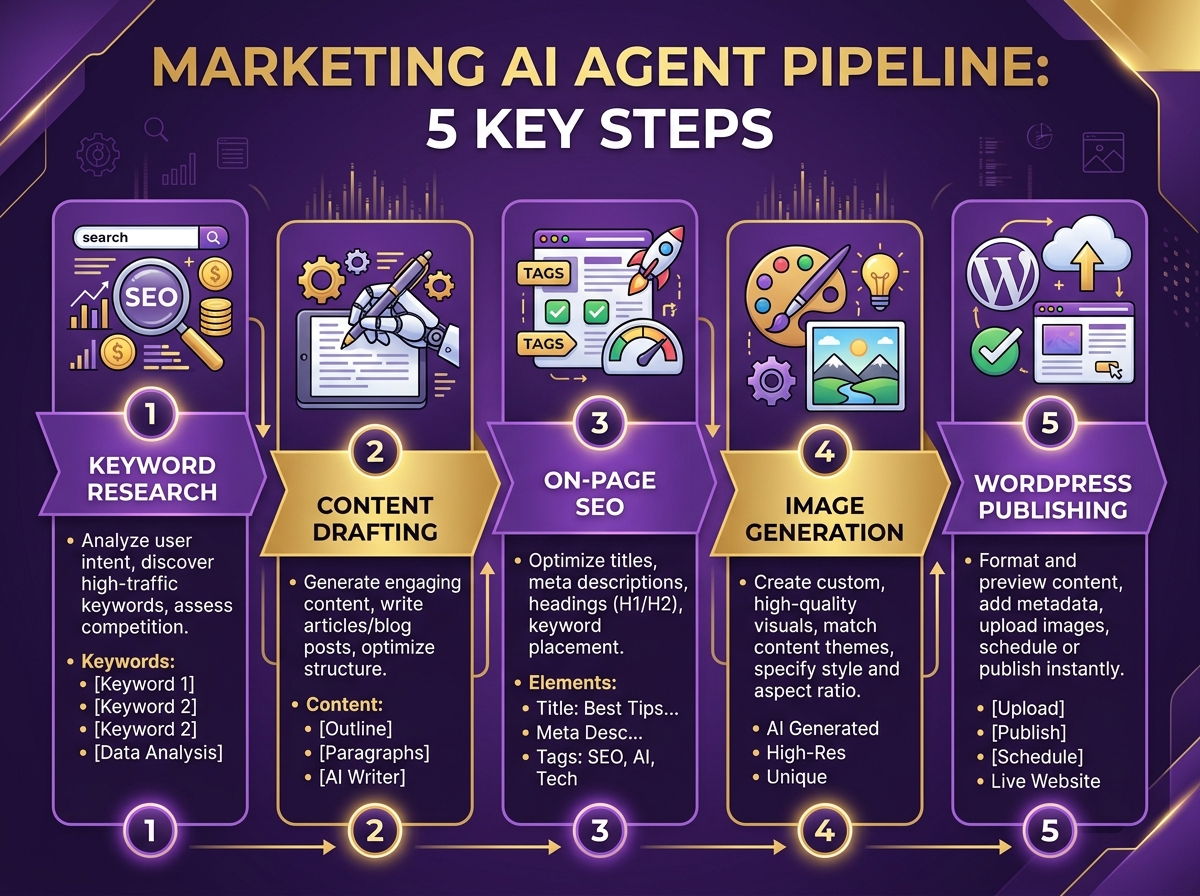
- Multi-step pipelines are standard: A marketing agent integrates keyword research, blog drafting, SEO metadata creation, image generation, and WordPress API publishing into a single execution stream.
- Cost reduction is massive: Deploying local and API-driven agents cuts content operational costs by over 80% while scaling output safely.
The Evolution of Marketing Automation: Autonomous Agents
Digital marketing operations have historically relied on manual labor or basic software automation. Tasks like posting on social media, sending emails, or drafting content required human interaction at every step. In 2026, the rise of agentic AI framework has redefined the paradigm. We are no longer talking about simple automation; we are deploying Autonomous AI Agents.
An AI agent is a software entity powered by a Large Language Model (LLM) that can read context, interact with external tools (via APIs), manage memory, and run complex multi-step pipelines without human intervention. By building your own marketing agent, you can feed it a simple prompt—like “write a guide on local marketing in Trichy”—and watch it research keywords, draft the content, design custom illustrations, and push it directly to your WordPress site.
Anatomy of a Multi-Step Marketing Agent Pipeline
To build an effective agent for your brand, such as Digital Marketer Trichy, you must decompose the traditional copywriting and publishing flow into a structured pipeline. The pipeline consists of five key modules, each representing a specialized skill:
- Keyword Research Module: Connects to external search APIs or uses web search parameters to find high-value, low-competition target keywords.
- Content Creator Module: Drafts the blog content following specific rulebooks (e.g., word count, heading structures, and brand tone guidelines).
- On-Page SEO Optimizer: Analyzes the draft and creates meta title tags, descriptions, clean slugs, and optimizes for conversational search (AEO).
- Visual Designer Module: Utilizes image generation APIs (like Google Gemini’s Imagen) to create featured banners and infographics matching the post context.
- Publisher Module: Interacts with the WordPress REST API or local server gateways via FTP to upload media, configure SEO fields, and publish drafts.
Architectural Overview: Agent Platforms
When selecting a platform or framework to run your marketing agents, consider the following comparison of industry-standard setups in 2026:
| Agent Platform | Key Strength | Workflow Style | Target Audience |
|---|---|---|---|
| Google Antigravity | High SDK integration, secure credentials handling. | Agentic, command-line and IDE integrated. | Advanced marketers, developers, and agencies. |
| Claude Code / n8n | Excellent text parsing and prompt modularity. | Visual workflow builder or terminal commands. | Growth hackers and automation specialists. |
| Custom Python Script | Maximum flexibility, zero platform overhead. | Code-based scheduling, direct API integration. | Technical marketing teams and custom projects. |
Step-by-Step Guide to Deploying Your Custom Agent
Follow this practical guide to deploy your custom Python-based marketing agent today:
Step 1: Set Up Your Workspace
Create a dedicated directory on your local machine (e.g., `seo-agent/`). Initialize it with a `.gitignore` to protect credentials, a `.env` file to store API tokens securely, and a primary rulebook file such as `GEMINI.md` to define your brand guidelines.
Step 2: Collect API and Gateway Access
Obtain a Gemini API key from Google AI Studio and configure WordPress authentication. If your server blocks external REST API connections, configure an FTP connection to deploy a secure local PHP handler script (like `publish_agent.php`) to bypass security obstacles securely.
Step 3: Run the Orchestration
Write your runner script (using python genai SDK). Execute it via your command line specifying the target topic. Review the generated content drafts locally in the output folder, test the alignment, and publish live once verified.
Frequently Asked Questions (FAQ)
What is a marketing AI agent?
A marketing AI agent is an autonomous software tool powered by LLMs that uses external system connections (APIs, FTP) and defined rules to perform complex marketing tasks like content writing, keyword analysis, and publication without manual intervention.
Is it safe to store WordPress credentials in a .env file?
Yes, storing credentials in a local `.env` file is safe, provided you add `.env` to your `.gitignore` file to prevent uploading your secrets to public repositories like GitHub.
How does the agent create images?
The agent connects to image models (such as Google Imagen 4) via the Google GenAI SDK, passes descriptive visual prompts generated during content creation, and saves the resulting image files locally before uploading them to WordPress.